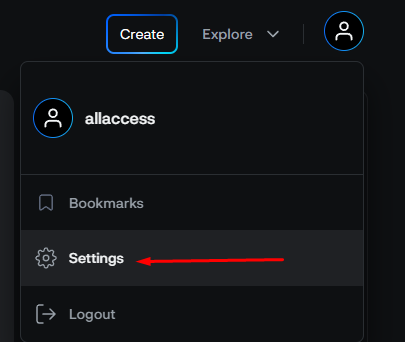
After logging into the portal, click on your profile icon on top right corner and then select Settings.
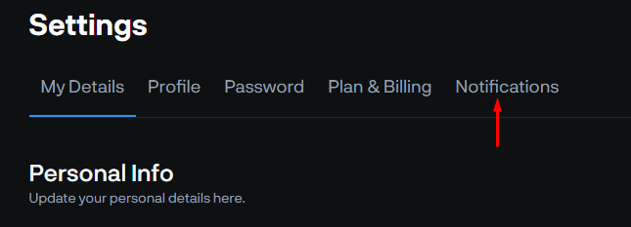
Then select Notifications
Select the notifications you wish to modify and then click Save.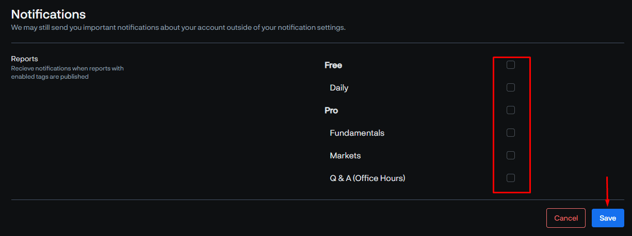
![Reworked Delphi Symbol - Black-1.png]](https://support.delphidigital.io/hs-fs/hubfs/Reworked%20Delphi%20Symbol%20-%20Black-1.png?height=40&name=Reworked%20Delphi%20Symbol%20-%20Black-1.png)
After logging into the portal, click on your profile icon on top right corner and then select Settings.
Then select Notifications
Select the notifications you wish to modify and then click Save.